
Getting Started
Getting Started with ARROW
Section titled “Getting Started with ARROW”Welcome to ARROW, your comprehensive device management platform. This guide will help you get up and running quickly.
Overview
Section titled “Overview”ARROW is a device management platform that helps your organization request, provision, and manage devices securely. With ARROW, you can:
- Request devices for projects and engagements
- Manage your device inventory and track device status
- Connect securely to devices via VPN
- Monitor device health and location
- Track shipments for physical devices
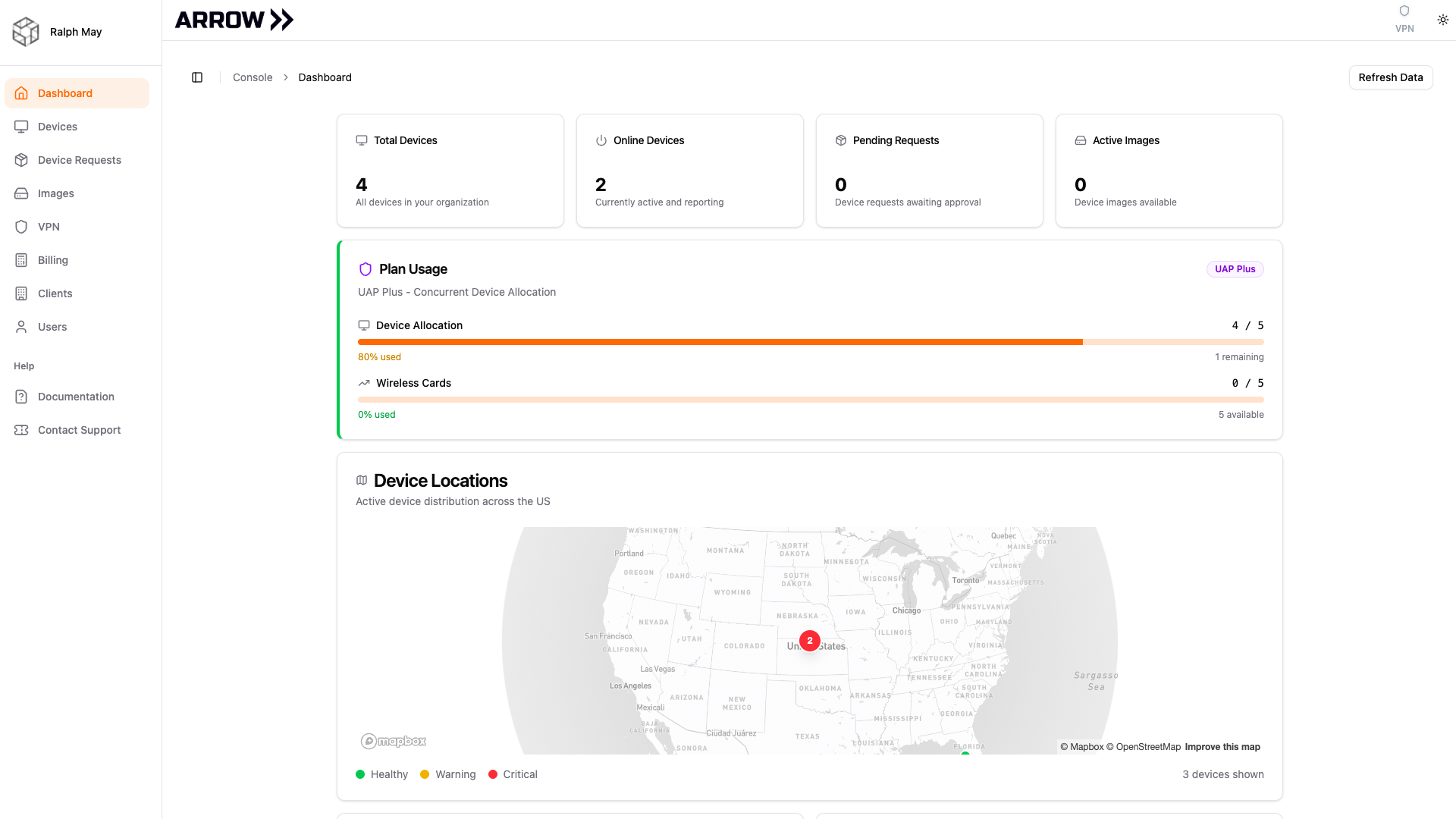
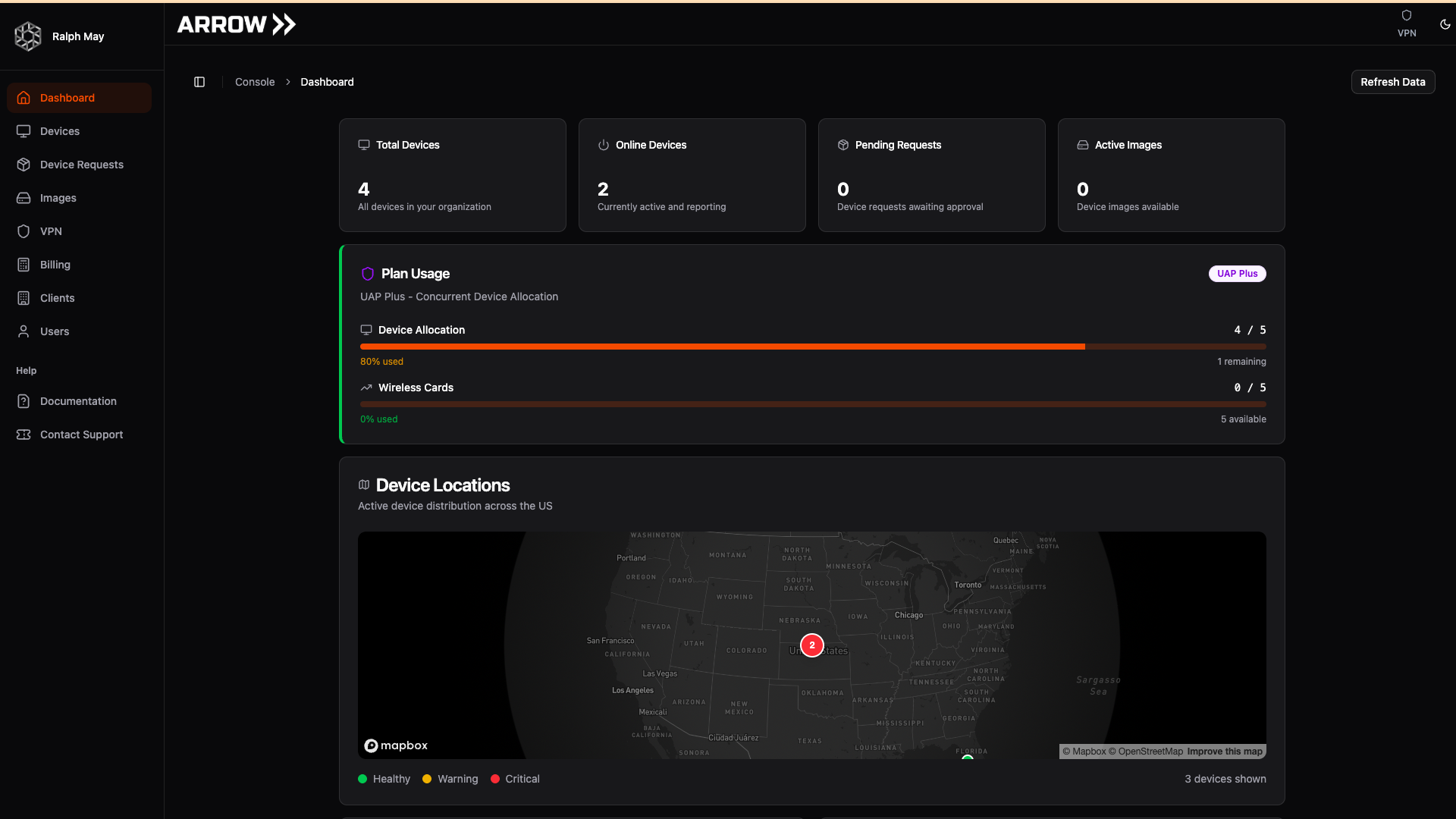
ARROW Console dashboard showing device overview and status
ARROW Console dashboard showing device overview and status
Key Features
Section titled “Key Features”ARROW provides the tools you need for device lifecycle management:
- Dashboard - Overview of your devices, health status, and recent activity at a glance
- Device Requests - Submit and track requests for physical devices or virtual machines
- Device Inventory - View and manage all devices assigned to you or your organization
- VPN Connectivity - Secure access to your devices from anywhere
- Client Management - Organize devices by client or project
- Shipment Tracking - Track delivery status for physical devices
- Location Monitoring - View device locations on an interactive map
User Roles
Section titled “User Roles”ARROW supports three user roles with different access levels:
| Role | What You Can Do |
|---|---|
| Admin | Access all features including billing, user management, and organization settings |
| Manager | Manage devices, create clients, submit device requests, and oversee team activity |
| User | View assigned devices, submit device requests, and connect via VPN |
Your role is assigned by your organization’s administrator when your account is created.
Console Navigation
Section titled “Console Navigation”When you sign in to ARROW, you’ll see the main navigation sidebar with these sections:
| Section | Description |
|---|---|
| Dashboard | Overview of devices, health status, and activity |
| Devices | View and manage your device inventory |
| Device Requests | Submit and track device provisioning requests |
| Images | Browse available VM images for device requests |
| VPN | Manage VPN access and connectivity settings |
| Clients | Manage client organizations |
| Billing | View usage and billing information (Admin/Manager only) |
| Users | Manage team members and roles (Admin/Manager only) |
Quick Start Workflow
Section titled “Quick Start Workflow”Follow these steps to get started with ARROW:
- Access the Arrow Console - Navigate to your organization’s Arrow Console URL in your web browser
- Sign in - Use your organization’s identity provider (SSO) to authenticate
- View the Dashboard - See an overview of your devices, health status, and recent activity
- Explore the Console - Use the sidebar to navigate between Dashboard, Devices, Device Requests, and other sections
- Submit a Device Request - When you need a device, go to Device Requests and submit a new request
- Connect via VPN - Once your device is provisioned, use the VPN to connect securely
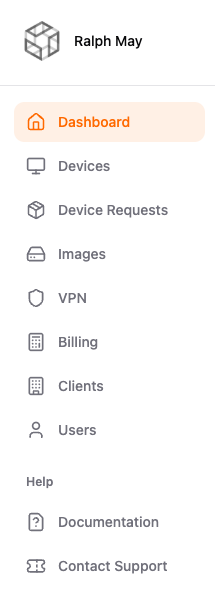
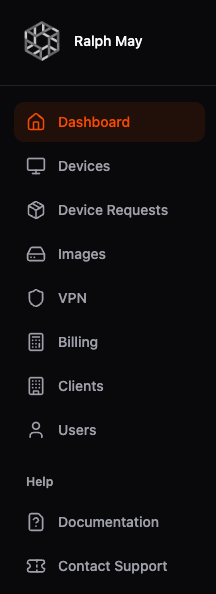
Arrow Console navigation sidebar
Arrow Console navigation sidebar
Next Steps
Section titled “Next Steps”- Device Requests - Learn how to request and track devices
- ARROW Device Specs - Full specifications for the ARROW hardware
- OBSIDIAN Device Specs - Full specifications for the OBSIDIAN hardware
- VPN Management - Set up VPN access to your devices
- Authentication - Manage your sign-in settings
Need Help?
Section titled “Need Help?”If you encounter any issues:
- Check out our Troubleshooting guide
- Browse the FAQ for common questions
- Contact support at support@mwgroup.io