
ARROW Manager Overview
Arrow Manager is your local web dashboard for monitoring and managing your Arrow device. It provides direct access to system information, network configuration, VPN status, and more - all from your web browser.
What is Arrow Manager?
Section titled “What is Arrow Manager?”Arrow Manager is a web-based interface that runs directly on your Arrow device. It allows you to:
- Monitor your device: View real-time system health including CPU, memory, storage, and temperature
- Configure network settings: Set up WiFi, cellular connections, and static IP addresses
- Check VPN status: See your Netbird VPN connection status and details
- Access the terminal: Connect to your device via SSH through the web interface
- Manage virtual machines: Control Proxmox VMs running on your device
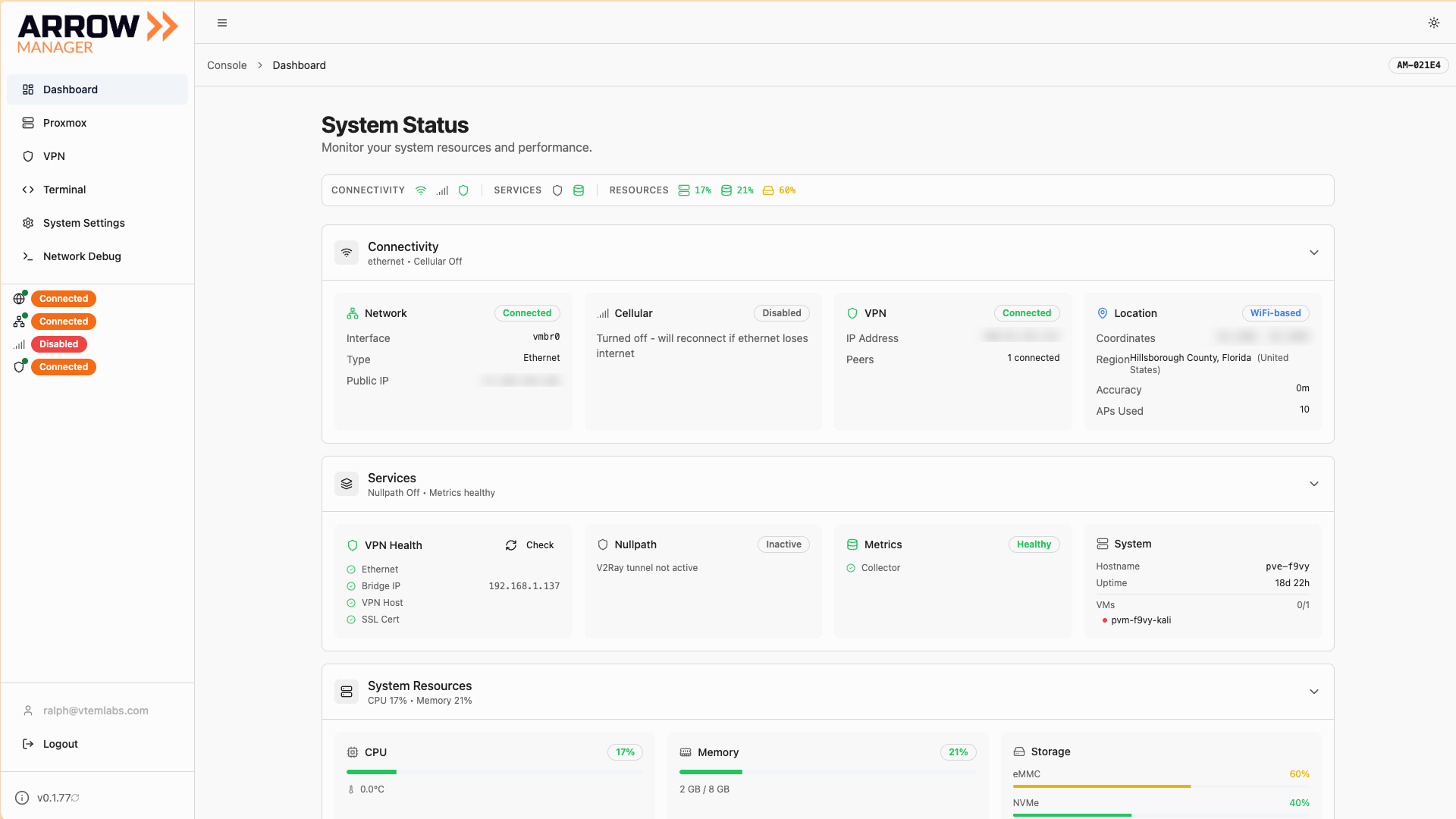
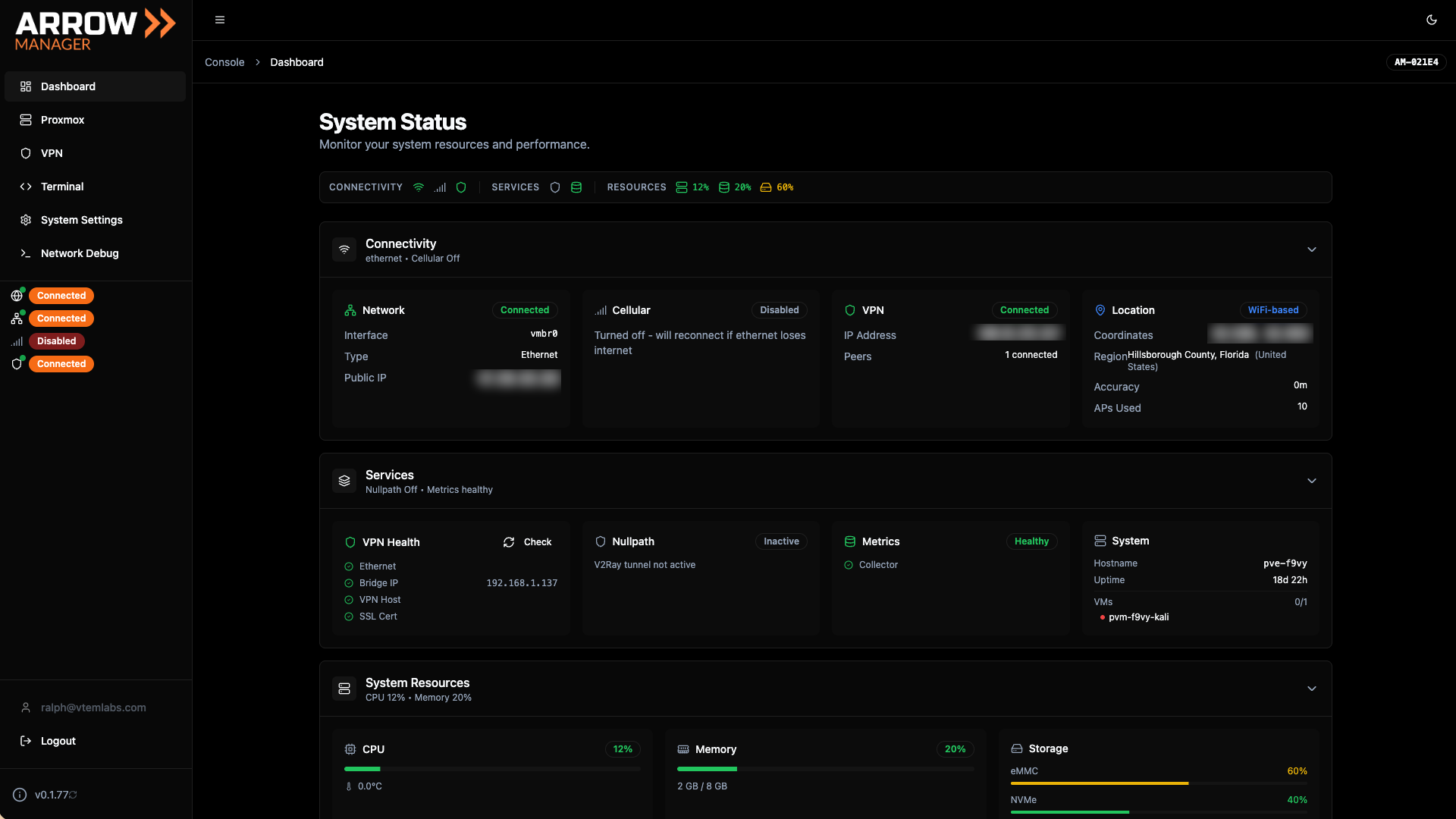
Arrow Manager Dashboard - Device monitoring and management interface
Arrow Manager Dashboard - Device monitoring and management interface
How to Access Arrow Manager
Section titled “How to Access Arrow Manager”You can access Arrow Manager in several ways depending on your network setup:
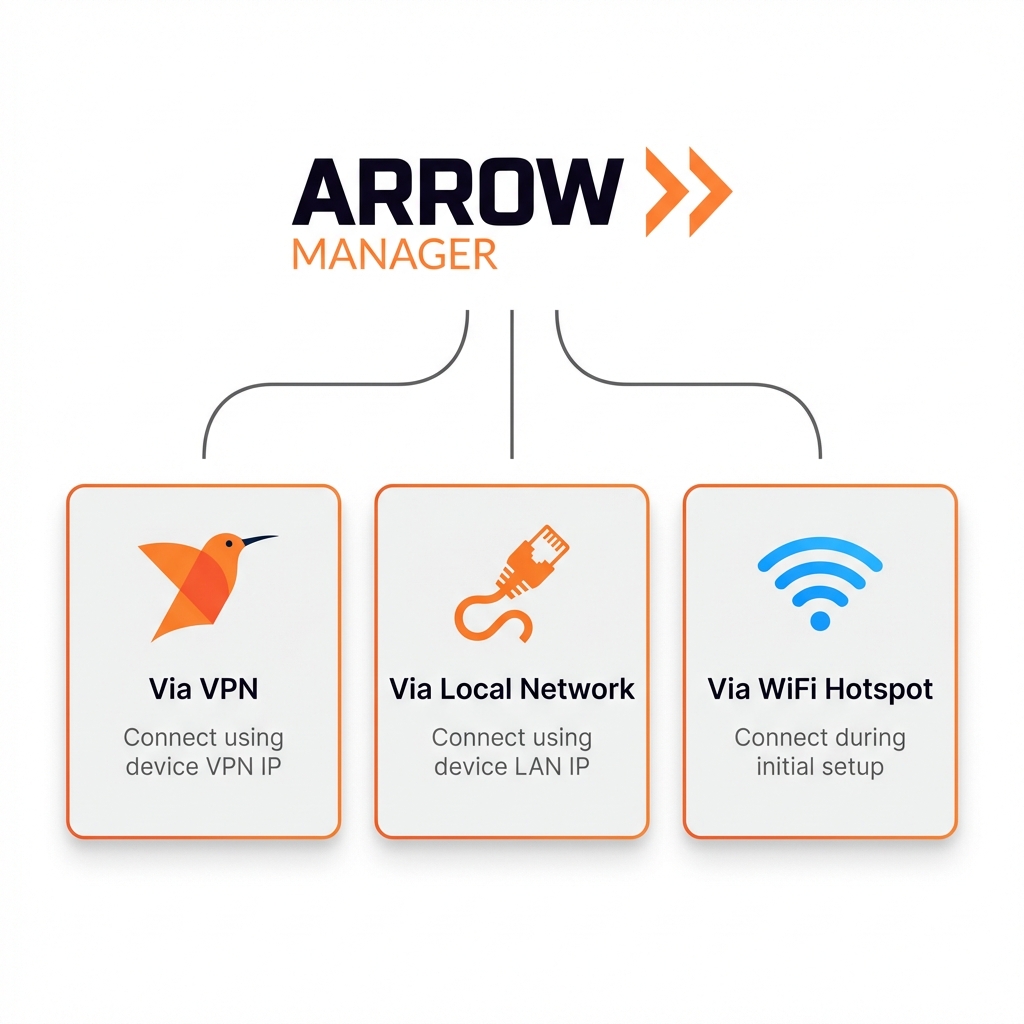
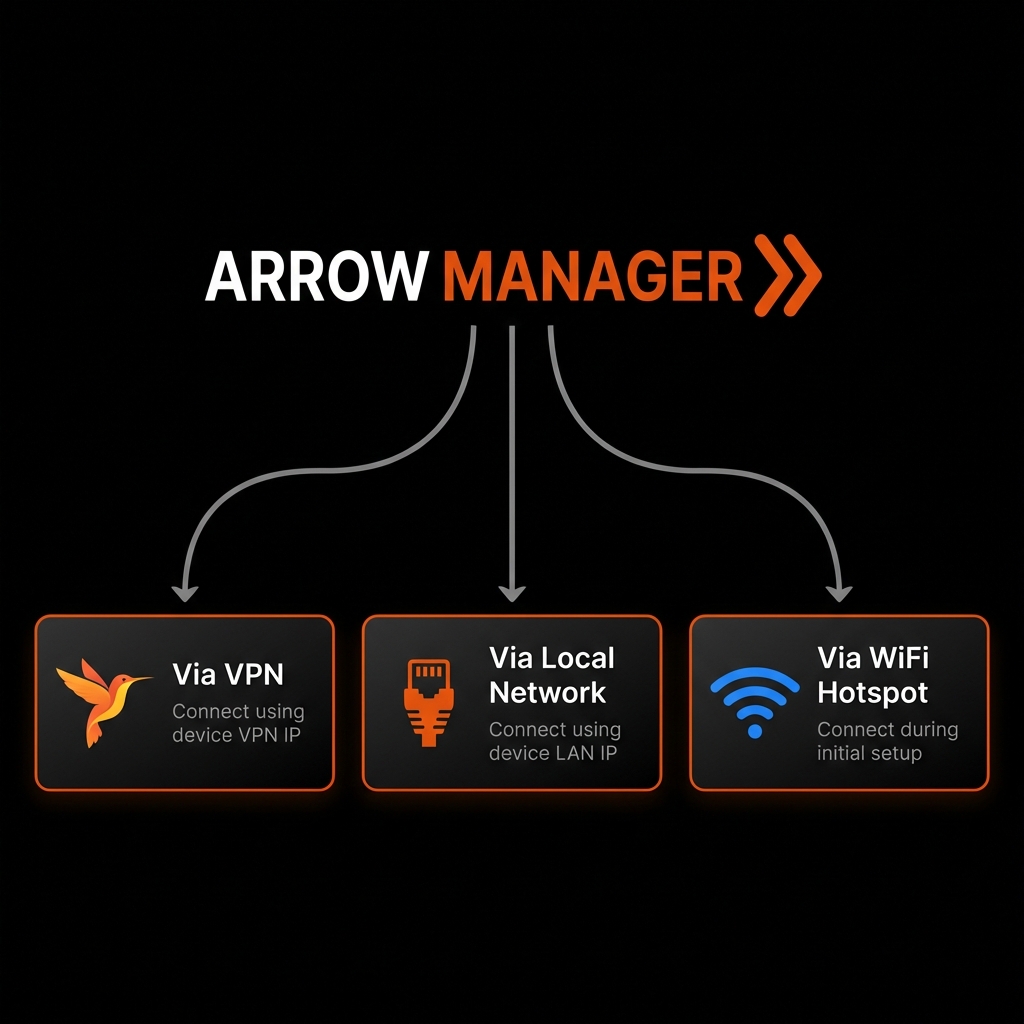
Three ways to access Arrow Manager
Three ways to access Arrow Manager
Via VPN Connection
Section titled “Via VPN Connection”Connect through your Netbird VPN and access Arrow Manager using your device’s VPN IP address in a web browser.
Via Local Network
Section titled “Via Local Network”When connected to the same network as your Arrow device, access it using the device’s local IP address.
Via WiFi Hotspot
Section titled “Via WiFi Hotspot”During initial setup or when no network is available, your Arrow device creates a WiFi hotspot you can connect to for configuration.
Main Features
Section titled “Main Features”Dashboard
Section titled “Dashboard”The Dashboard provides a real-time overview of your device’s health:
- CPU Usage: Current processor load and temperature
- Memory: RAM utilization
- Storage: Disk space used and available
- Network: Connection status for all interfaces
Dashboard showing real-time CPU, memory, storage, and network status
Dashboard showing real-time CPU, memory, storage, and network status
Settings
Section titled “Settings”Configure your device’s network connections:
- Ethernet: Set DHCP or static IP configuration
- WiFi: Connect to wireless networks
- Cellular/LTE: Configure mobile data connections
- Auto-Updates: View update settings (controlled by Arrow Portal)
VPN Status
Section titled “VPN Status”Monitor your Netbird VPN connection:
- Connection status (connected/disconnected)
- VPN IP address
- Connection quality metrics
Terminal
Section titled “Terminal”Access your device’s command line directly from the browser using the built-in web terminal.
Proxmox VMs
Section titled “Proxmox VMs”If your device runs virtual machines, manage them through Arrow Manager:
- View running VMs
- Start, stop, and restart VMs
- Access VM consoles
Navigation
Section titled “Navigation”Arrow Manager uses a simple sidebar navigation:
| Menu Item | Description |
|---|---|
| Dashboard | System monitoring and health overview |
| Settings | Network and device configuration |
| VPN | Netbird VPN status and details |
| Terminal | Web-based SSH access |
| Proxmox | Virtual machine management |
Arrow Manager sidebar with navigation options
Arrow Manager sidebar with navigation options
Display Options
Section titled “Display Options”Arrow Manager supports both light and dark display modes. The interface adapts to your preference and works on both desktop and mobile browsers.
Getting Help
Section titled “Getting Help”If you encounter issues with Arrow Manager:
- Check the Troubleshooting guide for common solutions
- Verify your network connection to the device
- Contact your administrator if problems persist
Related Documentation
Section titled “Related Documentation”- Authentication - How to log in
- Accessing Arrow Manager - Connection methods
- Software Updates - Understanding updates
- Troubleshooting - Common issues and solutions